SEE THE CONTROLLER IN USE
Follow the functions.
See what changes on screen.
Explore four controller demonstrations: reference-value comparison, the Standard Program, visual-function programs and direct access to individual tests.
Actual controller footage, edited to keep the interface in focus. The video explores the controls and preset sequences; it does not show an entire patient examination.
THE STANDARD PROGRAM
One sequence.
Right eye, left eye,
then binocular and near.
The 23-step program organizes routine subjective refraction into a repeatable sequence.
Each eye progresses through fogging, clock-dial astigmatism checks, sphere adjustment, cross-cylinder refinement and verification. The final five steps cover binocular balance, best acuity, fusion, stereopsis and near addition.
The examiner controls the test and interprets the patient’s responses. A preset program guides the sequence; it does not select a prescription independently.
Fogging
Introduce fogging at the start of monocular refraction.
Clock-dial axis check
Establish an initial astigmatism axis with the clock-dial target.
Clock-dial cylinder check
Adjust the initial cylinder power.
Sphere and acuity adjustment
Refine sphere using the selected acuity targets.
First red–green check
Verify the spherical balance before cross-cylinder refinement.
JCC axis refinement
Refine cylinder axis with the cross-cylinder target.
JCC power refinement
Refine cylinder power.
Second red–green check
Recheck the spherical result after cylinder refinement.
Monocular best acuity
Check the monocular best-acuity endpoint.
Fogging
Introduce fogging at the start of monocular refraction.
Clock-dial axis check
Establish an initial astigmatism axis with the clock-dial target.
Clock-dial cylinder check
Adjust the initial cylinder power.
Sphere and acuity adjustment
Refine sphere using the selected acuity targets.
First red–green check
Verify the spherical balance before cross-cylinder refinement.
JCC axis refinement
Refine cylinder axis with the cross-cylinder target.
JCC power refinement
Refine cylinder power.
Second red–green check
Recheck the spherical result after cylinder refinement.
Monocular best acuity
Check the monocular best-acuity endpoint.
Binocular balance
Compare and balance the two eyes.
Binocular best acuity
Check the binocular best-acuity endpoint.
Binocular fusion
Use the four-dot target for the fusion check.
Stereo test
Proceed to the stereopsis target.
Near addition (ADD)
Use the cross-grid near target and position the near card when prompted.
Two astigmatism stages
Clock-dial checks establish a starting axis and power before cross-cylinder refinement.
Red–green, checked twice
The sequence places a red–green check before and after the cross-cylinder steps.
A binocular finish
Balance and best-acuity steps are followed by four-dot fusion, stereo and near ADD.
PRESET OR PERSONALIZED
Choose more than
one way to work.
Free Mode is the start-up mode. Select a fixed program when you want its preset sequence, or use channels A–D to build procedures around your own workflow.
Standard Program
Monocular refinement for each eye, followed by binocular and near testing.
Quick Screen
A dedicated five-step visual-function screening sequence, shown in the controller demonstration.
Full Visual Function
A separate twelve-step sequence that brings distance and near visual functions together.
Four editable channels
Create and edit your own examination sequences while retaining direct access to individual controls.
BEYOND THE STANDARD SEQUENCE
Individual visual-function tests,
within the same console.
The Standard Program is one workflow. The VF interface also provides separate access to distance and near visual-function examinations.
DISTANCE
Vergence, phoria and more
- Distance divergence / convergence (NRC / PRC)
- Far lateral phoria (FLP)
- Fogging
- Cyclophoria
NEAR
Convergence and accommodation
- Near divergence / convergence (NRC / PRC)
- Near lateral phoria (NLP) and near point of convergence (NPC)
- Binocular cross-cylinder (BCC)
- Negative / positive relative accommodation (NRA / PRA)
- Gradient AC/A and amplitude of accommodation (AMP)
FROM STARTING POINT TO COMPARISON
Keep reference values
within reach.
Use AR and LM reference areas to compare starting measurements or old spectacle values with the final subjective result.
Auto refractometer readings
Receive values from a compatible, configured auto refractometer link, or enter the reference values. Use AR/CV to compare them with the current subjective result.
Old spectacle readings
Enter lensmeter values manually in the LM reference area. Use LM/CV to switch between those values and the new subjective result.
Report access
Open the Rx interface to review recorded values. An external printer can be specified with the appropriate connection.
PLAN THE COMPLETE ROOM
Match the controller
to the equipment around it.
Choose the chart system, mounting and connections as part of the configuration, so the supplied setup fits your refraction room.
Chart control
Control compatible chart projectors or visual-acuity displays. Options include chart selection, single-optotype and horizontal / vertical masking, and red–green overlays.
Available controls follow the paired chart type. The supported visual-chart link is wireless.
Automatic auxiliary-lens selection
In Auto mode, supported functional targets call the corresponding auxiliary lenses. Manual mode leaves auxiliary-lens selection to the examiner.
Correct chart-type settings are part of installation and pairing.
Mounting and supplied items
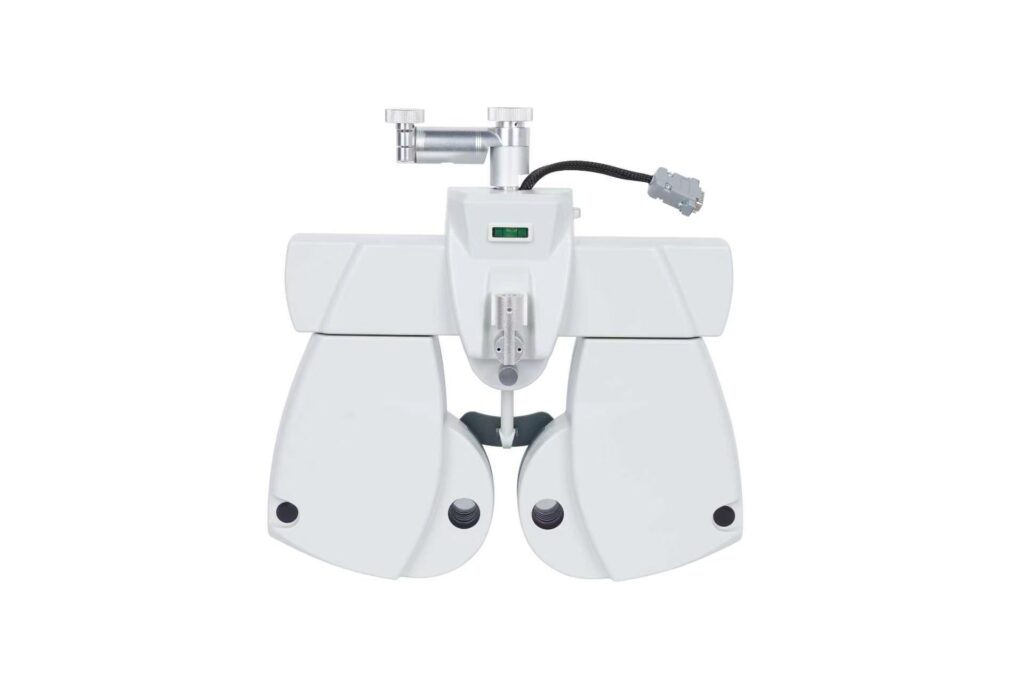
The manual lists the phoropter head, controller, power source and cables, near-point rod, near-point card and user manual.
Confirm the arm, mounting parts, optional AR signal cable and printer connection in the quotation.
BUYING QUESTIONS
Before you choose
your configuration.
Does “auto phoropter” mean it chooses the prescription?
The lenses are changed electronically from the controller. The examiner still directs subjective refraction and interprets the patient’s responses. The program organizes the test sequence.
Can we use our own examination sequence?
Yes. Channels A, B, C and D can be edited to create your own optometry sequences. Free Mode and the preset examination programs remain available.
Are near phoria and NRA/PRA limited by the 23-step program?
They are available separately through the visual-function interface. The Standard Program is a preset refraction sequence, while the VF menu and dedicated visual-function programs provide additional distance and near functions.
Can the CV-5600 receive data from any auto refractometer?
Compatibility depends on the auto refractometer model, connection, settings and cable. Share the exact instrument model with ENOCHTEC so the proposed data link can be checked. Lensmeter values are entered manually in the LM reference area.
What should we include in a quotation request?
Please share the destination country, quantity, mounting or room-unit requirements, chart or projector model, auto refractometer model and any printer requirement. Include the documents needed for your project or market.